Integrated Loudness -16 LUFS
True Peak Max -1 dBTP

Recommended Tools

About this Target

TikTok and Instagram do not publish -16 LUFS as a universal delivery requirement; this is a conservative production convention.

Short-form social platforms transcode audio and can change playback behavior over time. Their public creator guidance does not establish one universal numeric upload target. A -16 LUFS Integrated and -1 dBTP reference is a conservative starting point for intelligible mobile playback and codec headroom, not a promise of normalization behavior or acceptance.

Guide: Loudness Leveler

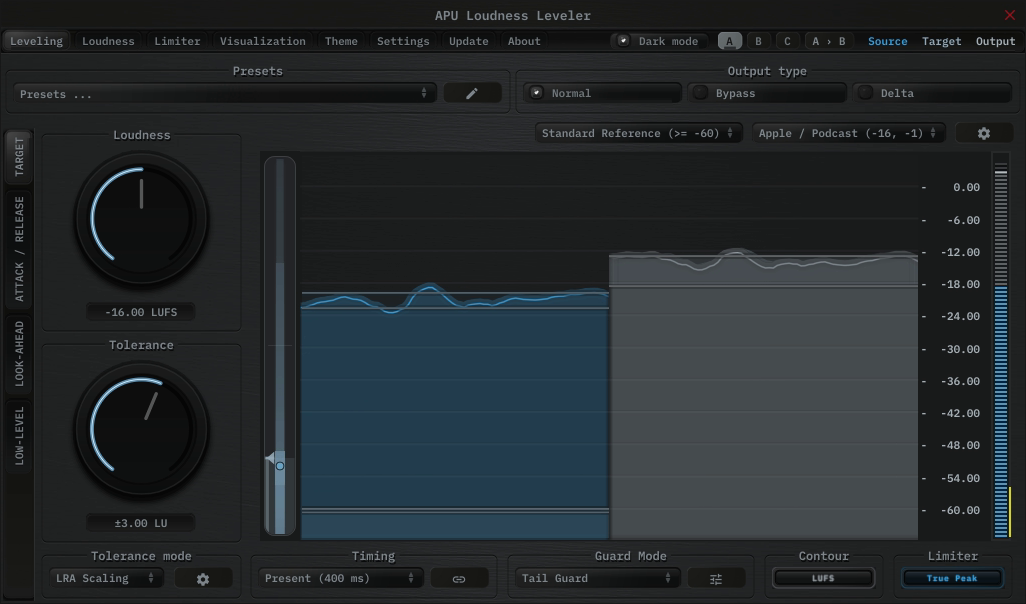
The APU Loudness Leveler is a strong fit when you want to hold a program close to the Social Media (TikTok/Reels) target continuously rather than force it there with conventional compression or hard limiting. Instead of mapping one loudness range onto another, the Leveler follows a target zone in real time and applies correction only when the program drifts away from where you want it.

Load the Creator - Social Media Short Form (Stereo) preset from the Purpose category.

From there, adjust Target Tolerance to control how tightly the audio is held around -16 LUFS. Present tends to work well for general-purpose material, while Deep is useful when you want the correction to follow the larger contour of the audio instead of every phrase-level change.

The built-in Tail Guard mode helps prevent the leveler from amplifying breaths and other relatively quiet moments at the end of phrases, which can lead to a more natural sound. When Tail Guard is enabled, the leveler holds gain correction during these moments, allowing them to sit more naturally in the mix.

The built-in limiter then handles final peak containment at -1 dBTP, which makes the Leveler especially useful for podcasts, dialog-heavy material, streams, and other sources that benefit from steady loudness tracking instead of obvious peak chopping.

Once the other settings are finalized, enable Compensation Learn and play the complete program from start to finish. Turn Learn off when playback finishes to lock the final correction. Run Learn again after any further processing changes.

APU Loudness Leveler showing Social Media (TikTok/Reels) target at -16 LUFS
Fig 1. Real-time Social Media (TikTok/Reels) target tracking using APU Loudness Leveler.

Guide: Loudness Compressor

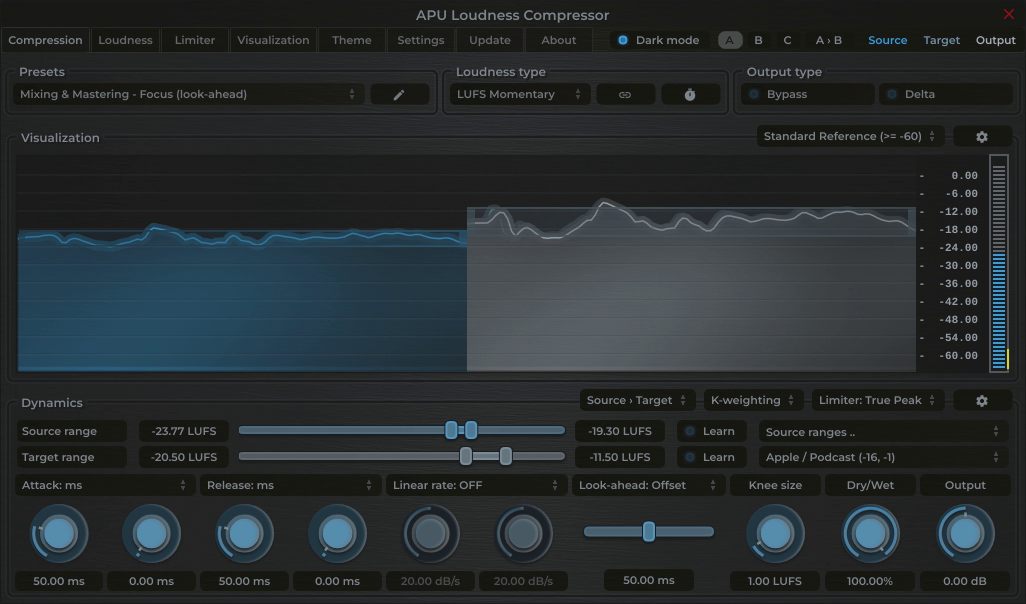
The APU Loudness Compressor is a complete loudness solution that combines dynamic range control with a built-in True Peak limiter. This allows you to achieve the Social Media (TikTok/Reels) target by increasing density and "glue" rather than just chopping off peaks.

Workflow:
1. Load the Creator - Social Media Short Form (Stereo) preset from the Purpose category.
2. To have the compression range follow your material, use Source Range Learn while playing the complete program.
3. Make any remaining compression and target-range adjustments. Hold Ctrl (Cmd on Mac) while dragging the middle of the target range to expand or contract it around the center.
4. Once the rest of the setup is finalized, enable Compensation Learn in the Limiter tab and play the complete program from start to finish. Turn Learn off when playback finishes to lock the final pre-limiter gain correction.

APU Loudness Compressor showing Social Media (TikTok/Reels) target at -16 LUFS
Fig 1. Real-time Social Media (TikTok/Reels) LUFS targeting using APU Loudness Compressor.
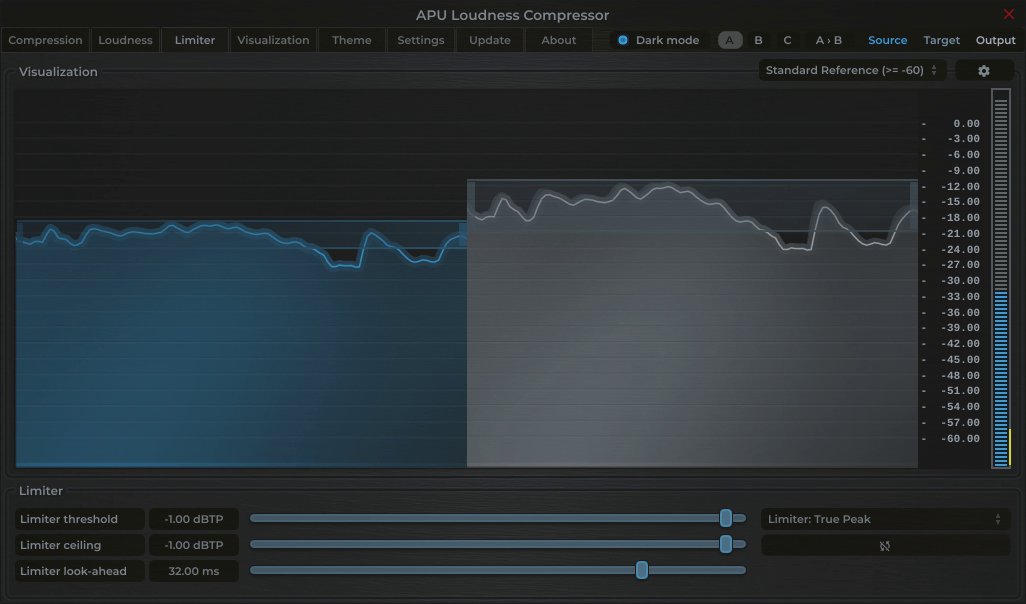
APU Loudness Compressor showing Social Media (TikTok/Reels) target at -1 dBTP
Fig 1. Real-time Social Media (TikTok/Reels) dBTP targeting using APU Loudness Compressor.

Guide: Loudness Limiter

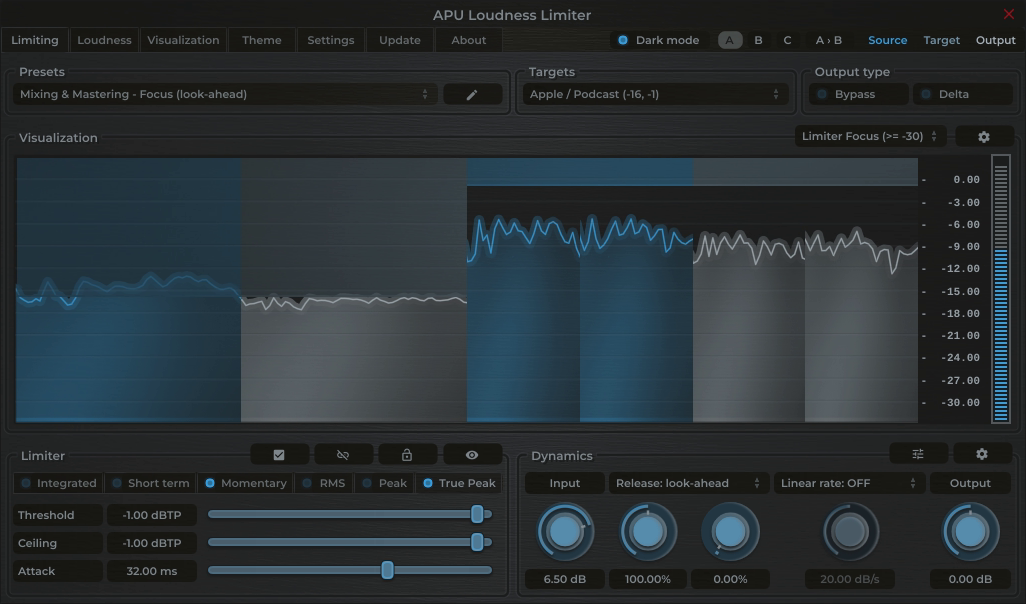
For direct loudness and peak containment, the APU Loudness Limiter can be used as a standalone maximizing solution. It simultaneously targets the Social Media (TikTok/Reels) LUFS loudness and True Peak references.

Load the Creator - Social Media Short Form Ceiling (Stereo) preset from the Purpose category. It configures the loudness and True Peak ceilings for this target.

Soften up the limiter some more by switching to Short term loudness mode for a slower, more musical response. Short term is based on a 3 second average and is less sensitive to transient spikes, making it ideal for transparent music mastering.

Once the other settings are finalized, enable Compensation Learn and play the complete program from start to finish. Turn Learn off when playback finishes to lock the final correction. Run Learn again after any further processing changes.

APU Loudness Limiter showing Social Media (TikTok/Reels) target at -16 LUFS
Fig 1. Real-time Social Media (TikTok/Reels) LUFS and dBTP targeting using APU Loudness Limiter.

Guide: Dynamics Optimizer

If you prefer an automated, offline approach, the APU Dynamics Optimizer analyzes your entire audio file and applies optimal normalization and limiting to meet the Social Media (TikTok/Reels) target in one pass.

Because it can see the entire file before processing, the Optimizer can calculate the gain adjustments needed while preserving the dynamics of the original material. Load the Creator - Social Media Short Form (Stereo) preset from the Purpose category, open the complete file, then analyze and optimize it. Review the result, then measure the exported file before delivery.
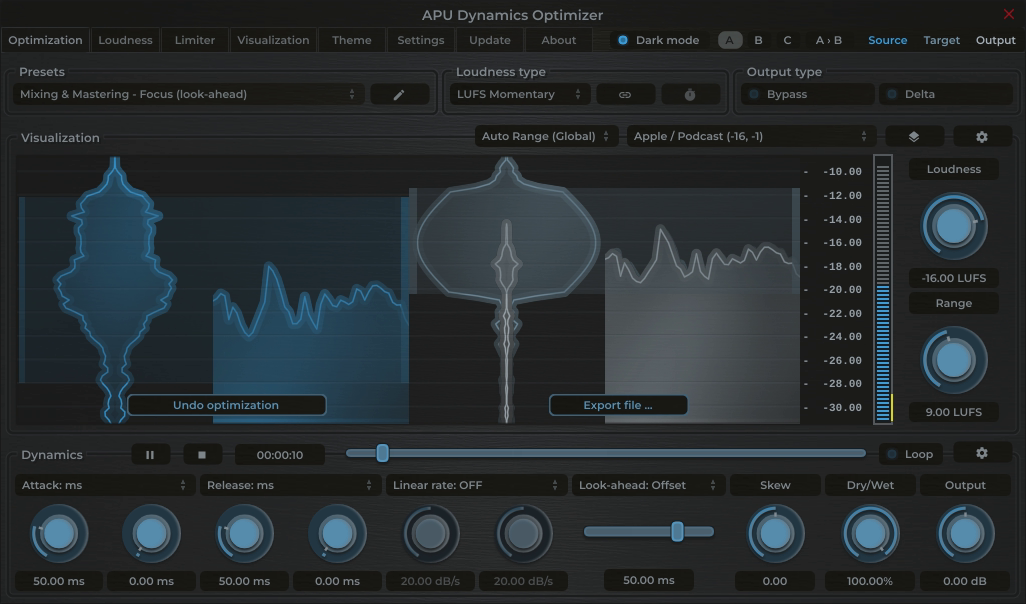
APU Dynamics Optimizer showing Social Media (TikTok/Reels) target at -16 LUFS
Fig 1. Offline Social Media (TikTok/Reels) LUFS and dBTP targeting using APU Dynamics Optimizer.

Metering for Social Media (TikTok/Reels)

Measure the complete short-form mix with Integrated LUFS and linked Maximum True Peak. Also audition on representative mobile playback and inspect the uploaded result because platform processing and content context can dominate the final experience.

Load the QC - Social Media Short Form (Stereo) preset from the Purpose category. It configures the target range, True Peak threshold, Short-term history, and Integrated output for this reference.
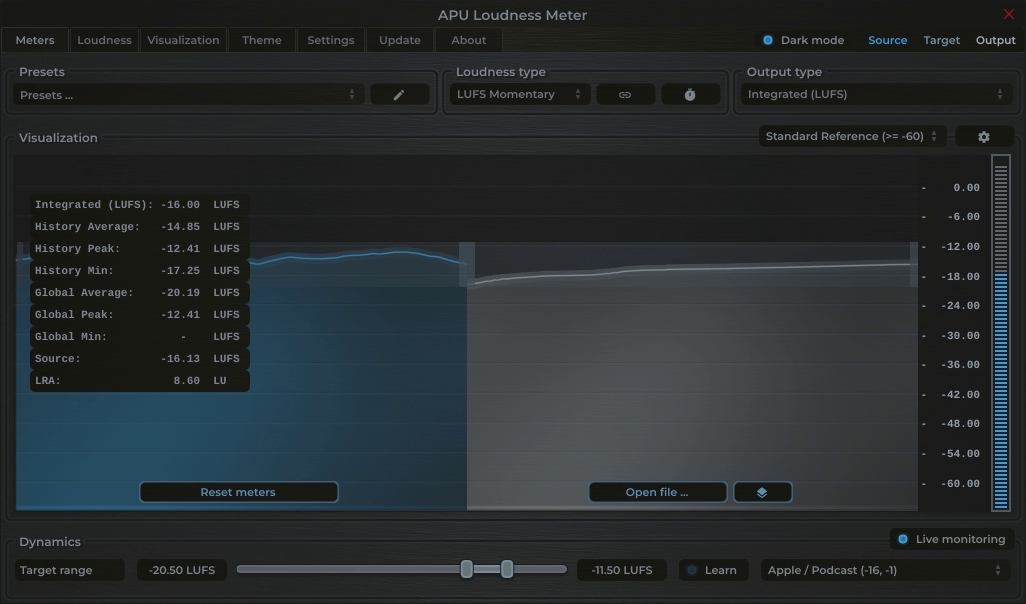
Short-term loudness is useful for seeing how individual sections move, while Integrated loudness shows where the complete program finishes. The APU Loudness Meter provides real-time feedback on your audio's loudness levels, allowing you to make informed adjustments during the mastering process.

The statistics panel gives quick access to Integrated LUFS, LRA, and other useful measurements.

APU Loudness Meter showing Social Media (TikTok/Reels) target at -16 LUFS
Fig 1. Real-time metering of the Social Media (TikTok/Reels) reference using APU Loudness Meter.