Integrated Loudness -23 LUFS
True Peak Max -1 dBTP

Recommended Tools

About this Target

EBU R 128 recommends average programme loudness of -23 LUFS and the use of Loudness Range and Maximum True Peak descriptors.

EBU R 128 version 5.0 recommends an average programme loudness of -23 LUFS. The normal tolerance is ±0.5 LU, while ±1.0 LU is permitted for live programmes where the normal tolerance is not practical. EBU production guidance recommends a -1 dBTP ceiling for generic linear audio and commonly -2 dBTP before data-reduction codecs. Broadcaster and distribution specifications can impose different delivery limits.

Guide: Loudness Leveler

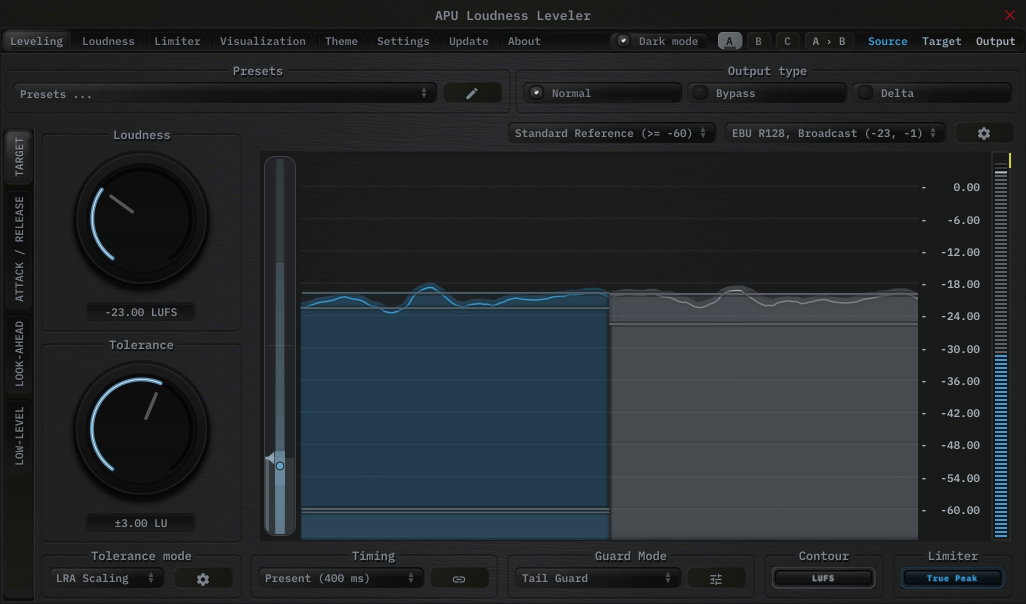
The APU Loudness Leveler is a strong fit when you want to hold a program close to the EBU R128, Broadcast target continuously rather than force it there with conventional compression or hard limiting. Instead of mapping one loudness range onto another, the Leveler follows a target zone in real time and applies correction only when the program drifts away from where you want it.

A practical starting point is to load a Leveling - Present or Leveling - Deep preset, then select the EBU R128, Broadcast target range preset to initialize the target loudness and limiter ceiling. From there, adjust Target Tolerance to control how tightly the audio is held around -23 LUFS. Present tends to work well for general-purpose material, while Deep is useful when you want the correction to follow the larger contour of the audio instead of every phrase-level change.

The built-in Tail Guard mode helps prevent the leveler from amplifying breaths and other relatively quiet moments at the end of phrases, which can lead to a more natural sound. When Tail Guard is enabled, the leveler holds gain correction during these moments, allowing them to sit more naturally in the mix.

The built-in limiter then handles final peak containment at -1 dBTP, which makes the Leveler especially useful for podcasts, dialog-heavy material, streams, and other sources that benefit from steady loudness tracking instead of obvious peak chopping.

APU Loudness Leveler showing EBU R128, Broadcast target at -23 LUFS
Fig 1. Real-time EBU R128, Broadcast target tracking using APU Loudness Leveler.

Guide: Loudness Compressor

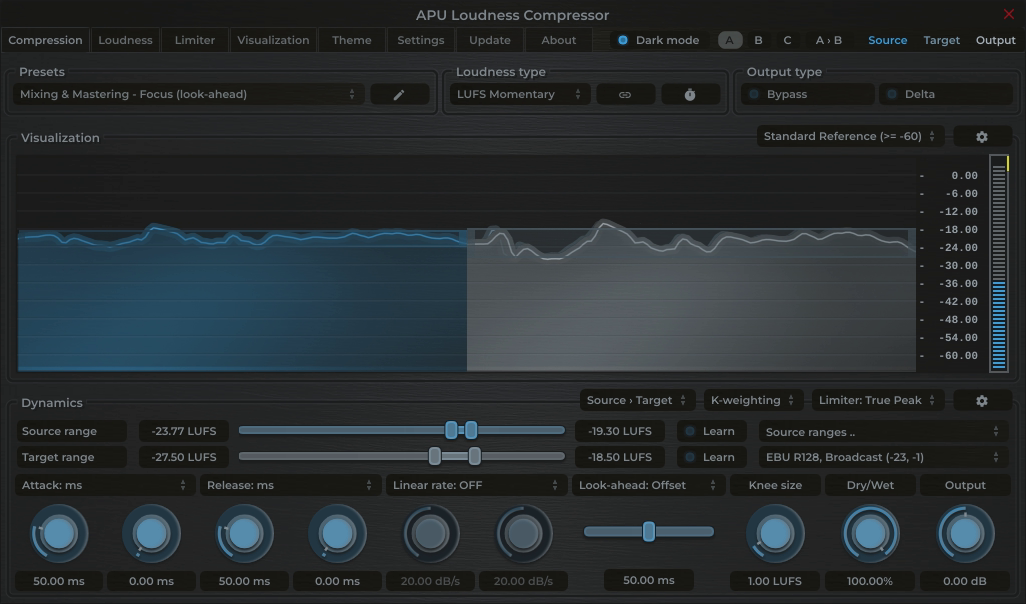
The APU Loudness Compressor is a complete loudness solution that combines dynamic range control with a built-in True Peak limiter. This allows you to achieve the EBU R128, Broadcast target by increasing density and "glue" rather than just chopping off peaks.

Workflow:
1. Use the Source Range "Learn" function to automatically detect the dynamic range of your input audio. This function utilizes the LRA algorithm to determine the optimal source range for compression/expansion.
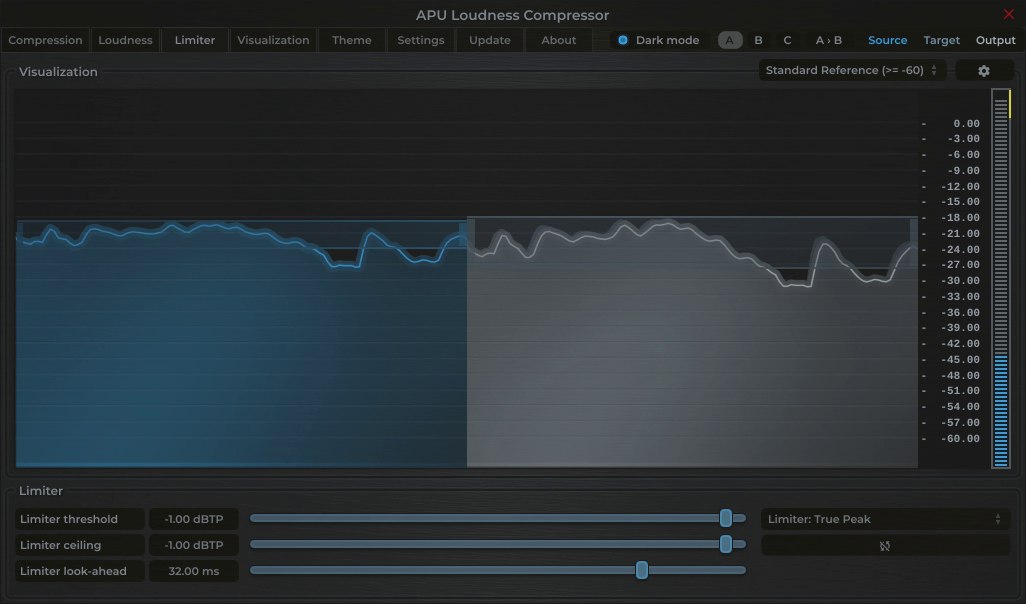
2. Select the EBU R128, Broadcast preset in the Target Range. This sets the compressor's target to -23 LUFS and the limiter ceiling to -1 dBTP.

Note: Hold Ctrl (Cmd on Mac) and click + drag the middle of the target range slider up or down to expand or contract the target range around the center point. Great for maintaining a consistent loudness target while adjusting dynamic range.

APU Loudness Compressor showing EBU R128, Broadcast target at -23 LUFS
Fig 1. Real-time EBU R128, Broadcast LUFS targeting using APU Loudness Compressor.
APU Loudness Compressor showing EBU R128, Broadcast target at -1 dBTP
Fig 1. Real-time EBU R128, Broadcast dBTP targeting using APU Loudness Compressor.

Guide: Loudness Limiter

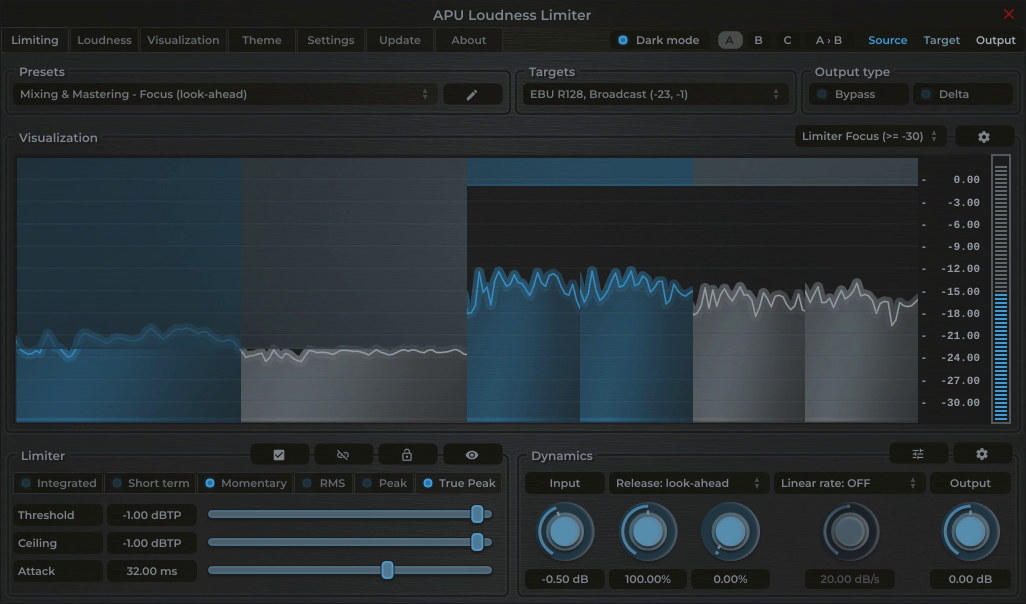
For direct loudness and peak containment, the APU Loudness Limiter can be used as a standalone maximizing solution. It simultaneously targets the EBU R128, Broadcast LUFS loudness and True Peak references.

Simply select the EBU R128, Broadcast target range preset. This configures the limiter ceilings to -23 LUFS and -1 dBTP. Drive the input gain until the momentary LUFS meter stabilizes around the target. The limiter's transparent lookahead algorithm ensures the audio never exceeds the allowable True Peak level while also enforcing a soft ceiling on the momentary loudness.

Soften up the limiter some more by switching to Short term loudness mode for a slower, more musical response. Short term is based on a 3 second average and is less sensitive to transient spikes, making it ideal for transparent music mastering.

APU Loudness Limiter showing EBU R128, Broadcast target at -23 LUFS
Fig 1. Real-time EBU R128, Broadcast LUFS and dBTP targeting using APU Loudness Limiter.

Guide: Dynamics Optimizer

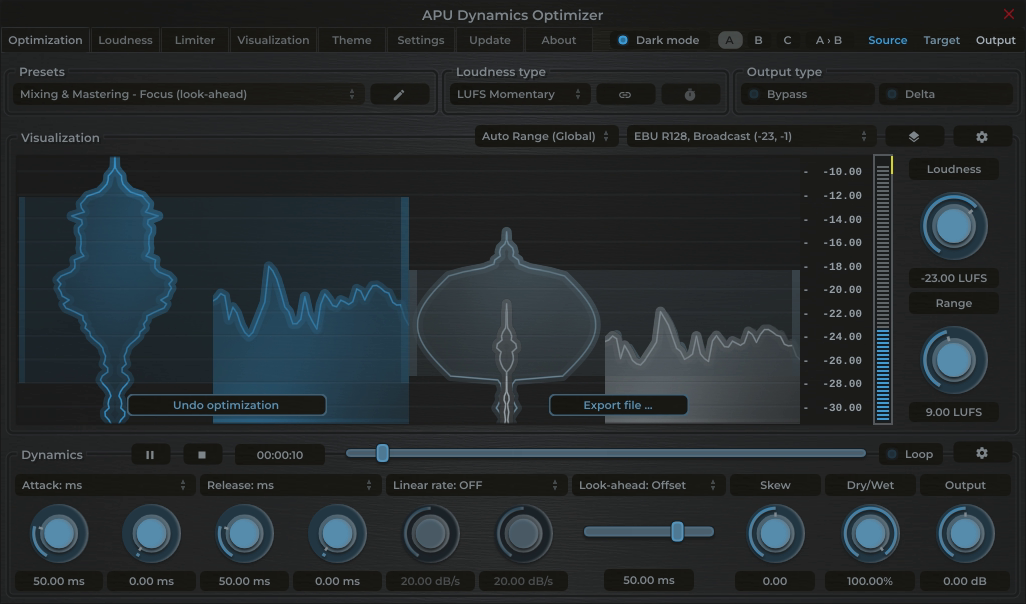
If you prefer an automated, offline approach, the APU Dynamics Optimizer analyzes your entire audio file and applies optimal normalization and limiting to meet the EBU R128, Broadcast target in one pass.

This tool provides the highest accuracy as it can "see" the entire file before processing. Select the EBU R128, Broadcast target range preset to quickly set the target loudness to exactly -23 LUFS and -1 dBTP, and the Optimizer will calculate the precise gain adjustments needed to match the selected target while maintaining dynamic integrity.

APU Dynamics Optimizer showing EBU R128, Broadcast target at -23 LUFS
Fig 1. Offline EBU R128, Broadcast LUFS and dBTP targeting using APU Dynamics Optimizer.

Metering for EBU R128, Broadcast

Reset at programme start and measure the complete programme with EBU Mode Integrated loudness. Monitor Loudness Range and Maximum True Peak as separate descriptors, and apply the destination broadcaster's own tolerance, codec-headroom, metadata, and file-delivery requirements.

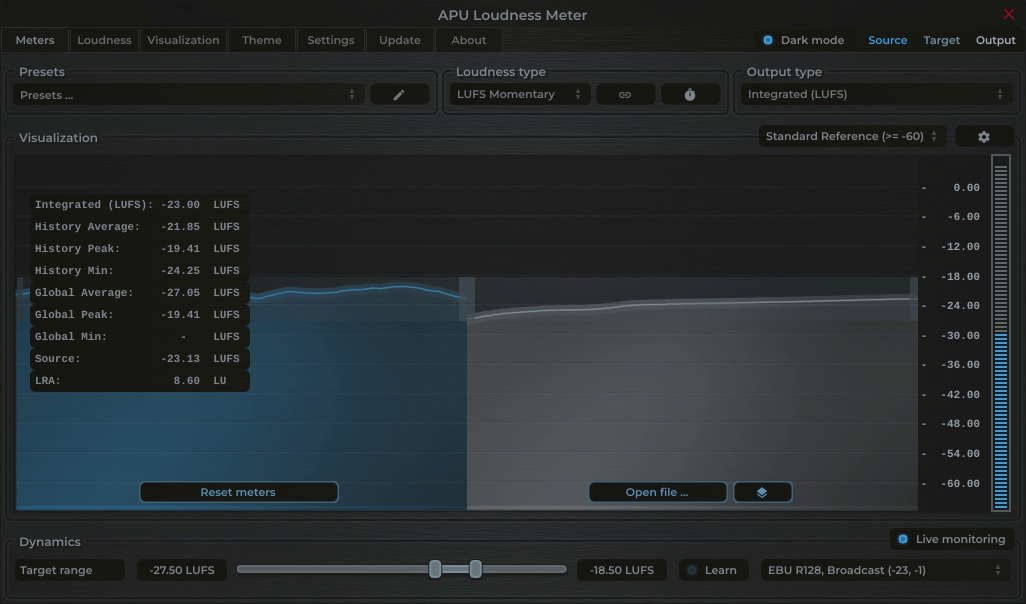
Monitoring both Momentary and Integrated LUFS helps you compare your audio with the EBU R128, Broadcast loudness target. The APU Loudness Meter provides real-time feedback on your audio's loudness levels, allowing you to make informed adjustments during the mastering process.

In the screenshots below, the Momentary LUFS meter hovers around the target of -23 LUFS, indicating alignment with the selected EBU R128, Broadcast reference. The statistics panel gives quick access to Integrated LUFS, LRA and other metrics.

APU Loudness Meter showing EBU R128, Broadcast target at -23 LUFS
Fig 1. Real-time metering of the EBU R128, Broadcast reference using APU Loudness Meter.