Recommended Tools
Loudness Leveler
Maintain -14 LUFS with steady real-time target tracking.
Loudness Compressor
Shape dynamics toward -14 LUFS with built-in True Peak control.
Loudness Limiter
Drive audio to -14 LUFS while respecting -1 dBTP.
Dynamics Optimizer
Analyze offline for precise -14 LUFS delivery.
Loudness Meter
Verify -14 LUFS and -1 dBTP targets.
About this Target
Spotify normalizes all audio to -14 LUFS. Louder tracks are attenuated.
Spotify utilizes a loudness normalization system to ensure consistent volume across tracks and albums. The platform references a target of -14 LUFS. If a track is louder than this target, it is attenuated (turned down) to match -14 LUFS. To ensure the best audio quality during transcoding (conversion to Ogg Vorbis or AAC), it is widely recommended to keep True Peak levels below -1 dBTP, or even -2 dBTP for very loud masters.
Guide: Loudness Leveler
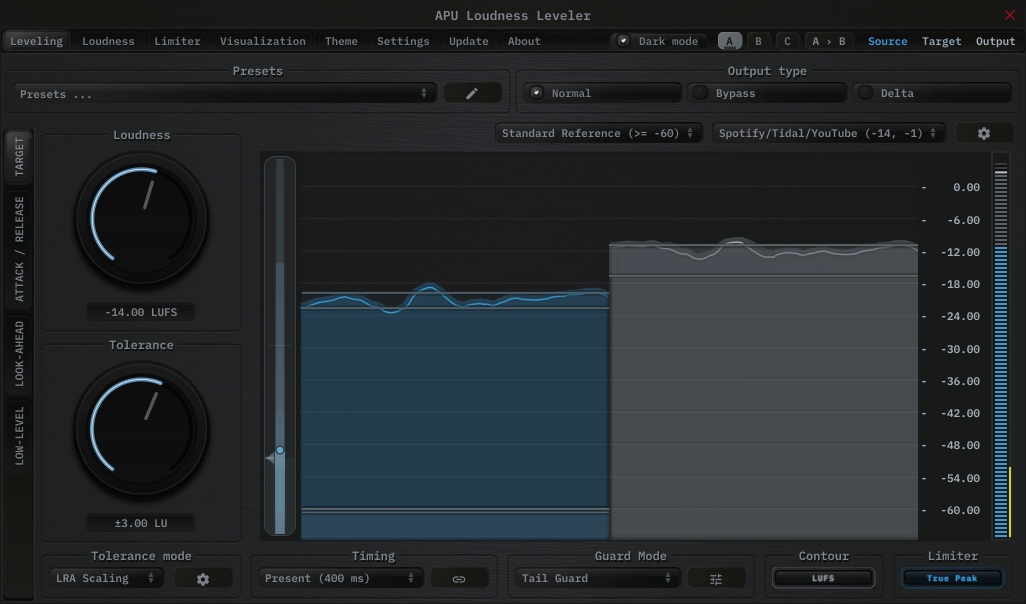
The APU Loudness Leveler is a strong fit when you want to hold a program close to the Spotify target continuously rather than force it there with conventional compression or hard limiting.
Instead of mapping one loudness range onto another, the Leveler follows a target zone in real time and applies correction only when the program drifts away from where you want it.
A practical starting point is to load a Leveling - Present or Leveling - Deep preset, then select the Spotify target range preset to initialize the target loudness and limiter ceiling.
From there, adjust Target Tolerance to control how tightly the audio is held around -14 LUFS. Present tends to work well for general-purpose material, while Deep is useful when you want the correction to follow the larger contour of the audio instead of every phrase-level change.
The built-in Tail Guard mode helps prevent the leveler from amplifying breaths and other relatively quiet moments at the end of phrases, which can lead to a more natural sound. When Tail Guard is enabled, the leveler holds gain correction during these moments, allowing them to sit more naturally in the mix.
The built-in limiter then handles final peak containment at -1 dBTP, which makes the Leveler especially useful for podcasts, dialog-heavy material, streams, and other sources that benefit from steady loudness tracking instead of obvious peak chopping.
Guide: Loudness Compressor
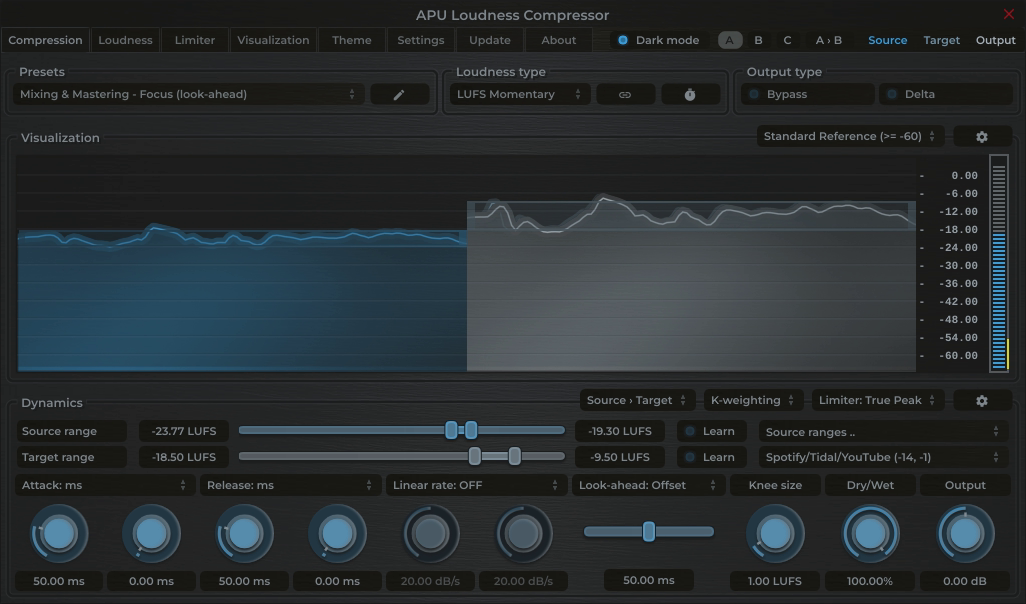
The APU Loudness Compressor is a complete loudness solution that combines dynamic range control with a built-in True Peak limiter.
This allows you to achieve the Spotify target by increasing density and "glue" rather than just chopping off peaks.
Workflow:
1. Use the Source Range "Learn" function to automatically detect the dynamic range of your input audio. This function
utilizes the LRA algorithm to determine the optimal source range for compression/expansion.
2. Select the Spotify preset in the Target Range. This sets the compressor's target to -14 LUFS and the limiter ceiling to -1 dBTP.
Note: Hold Ctrl (Cmd on Mac) and click + drag the middle of the target range slider up or down to expand or contract the target range around the center
point. Great for maintaining a consistent loudness target while adjusting dynamic range.
Guide: Loudness Limiter
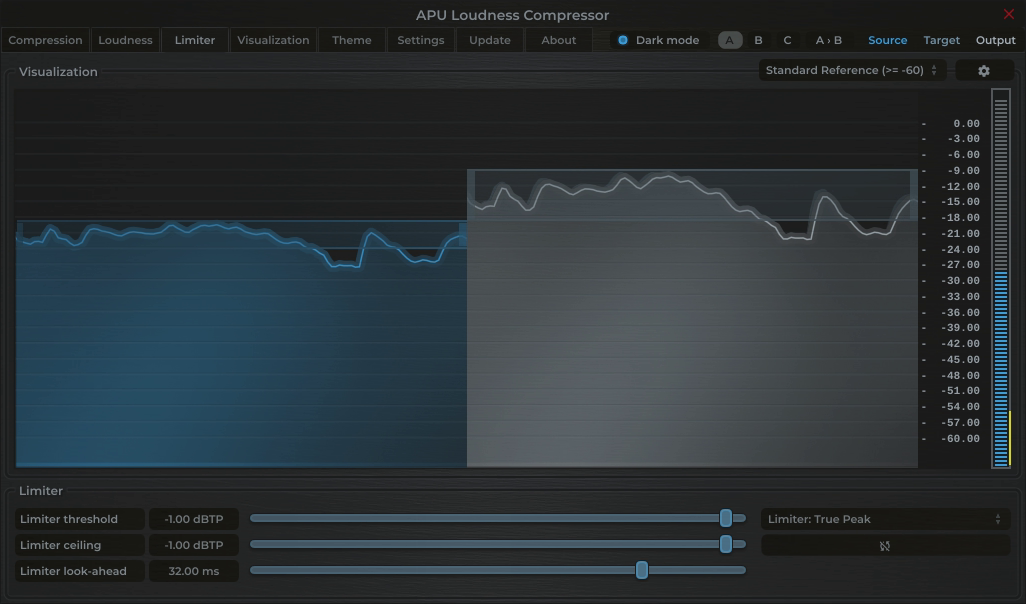
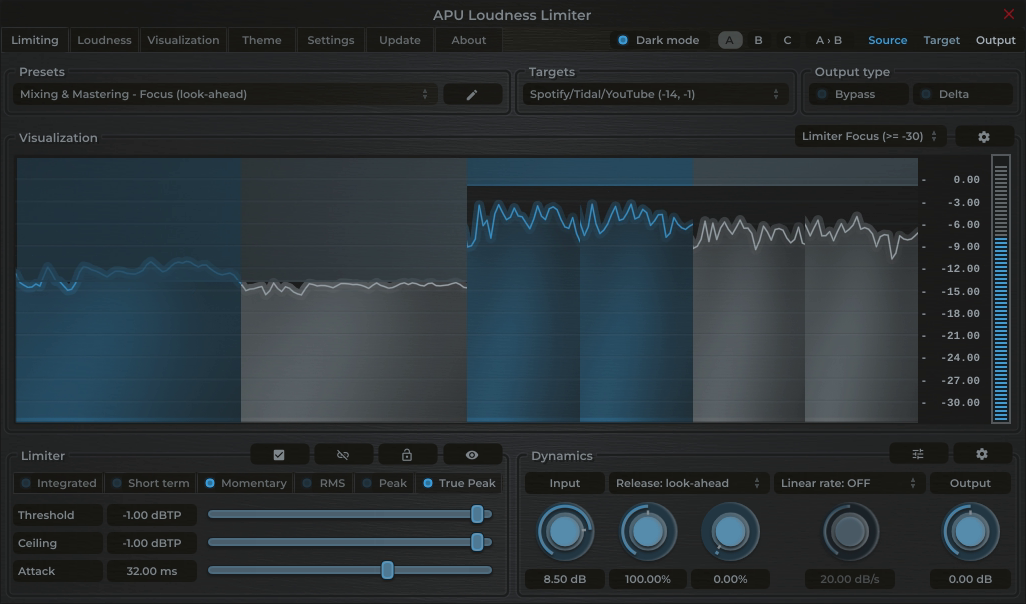
For the most direct path to compliance, the APU Loudness Limiter can be used as a standalone maximizing solution.
It simultaneously targets the specific LUFS loudness and True Peak limit required by Spotify.
Simply select the Spotify target range preset. This configures the limiter ceilings to -14 LUFS and -1 dBTP.
Drive the input gain until the momentary LUFS meter stabilizes around the target. The limiter's transparent lookahead algorithm ensures the
audio never exceeds the allowable True Peak level while also enforcing a soft ceiling on the momentary loudness.
Soften up the limiter some more by switching to Short term loudness mode for a slower, more musical response. Short term is based on
a 3 second average and is less sensitive to transient spikes, making it ideal for transparent music mastering.
Guide: Dynamics Optimizer
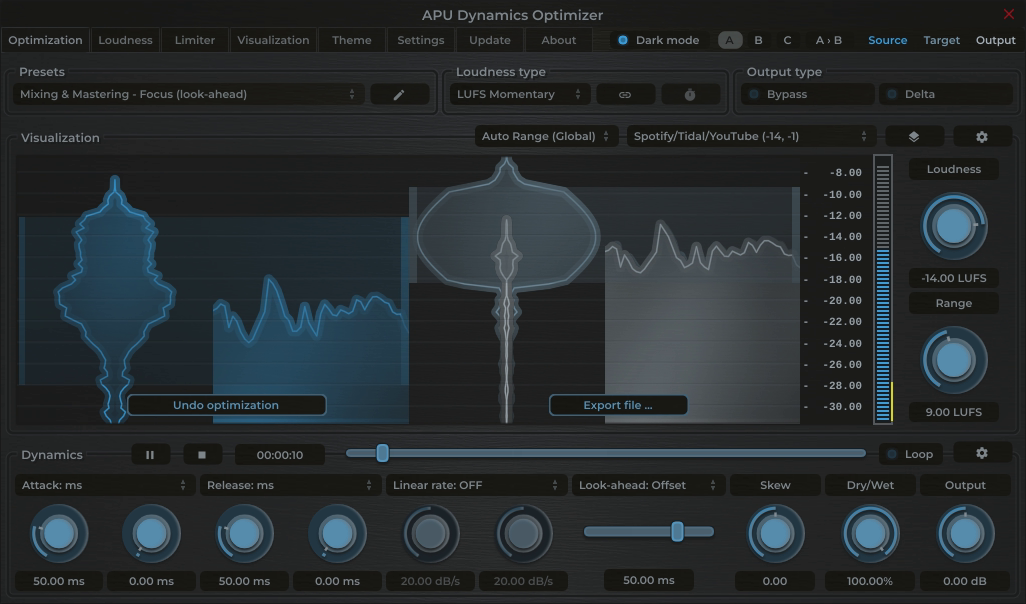
If you prefer an automated, offline approach, the APU Dynamics Optimizer analyzes your entire audio
file and applies optimal normalization and limiting to meet the Spotify target in one pass.
This tool provides the highest accuracy as it can "see" the entire file before processing. Select the Spotify target range preset
to quickly set the target loudness to exactly -14 LUFS and -1 dBTP, and the Optimizer will calculate the precise gain adjustments needed to
achieve compliance while maintaining dynamic integrity.
Metering for Spotify
Spotify uses Integrated LUFS to calculate normalization values. It is crucial to monitor the Integrated value over the full duration of the track to understand how Spotify will react to your master. Short-term peaks above -14 LUFS are acceptable and common, provided the overall average settles at the target.
Monitoring both Momentary and Integrated LUFS helps ensure your audio consistently meets the Spotify loudness target.
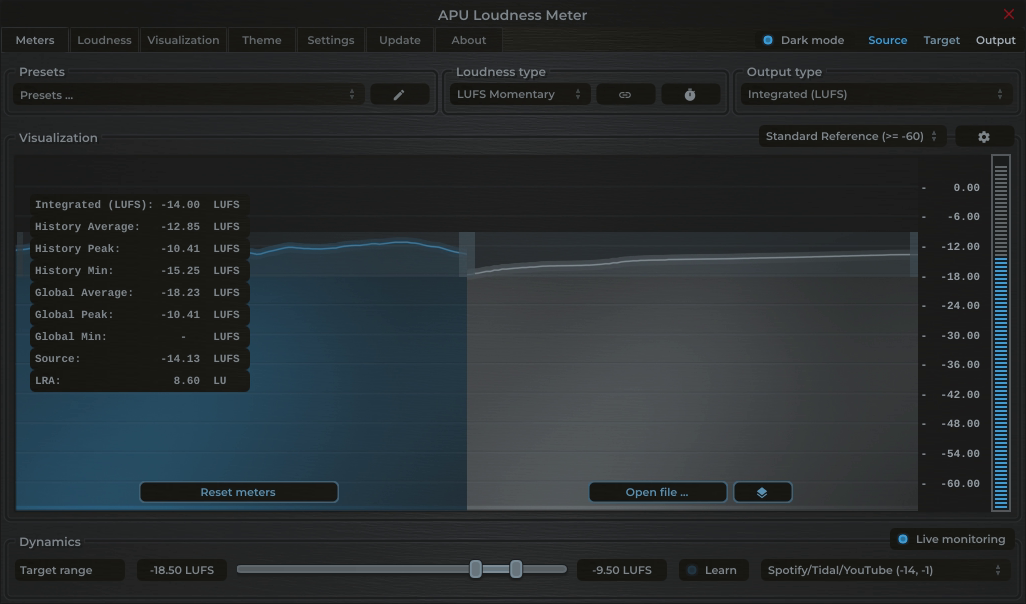
The APU Loudness Meter provides real-time feedback on your audio's loudness levels, allowing you to make informed adjustments
during the mastering process.
In the screenshots below, we can see the Momentary LUFS meter hovering around the target of -14 LUFS, indicating compliance with the Spotify target.
The statistics panel gives quick access to Integrated LUFS, LRA and other metrics.